Many users get confused when choosing between HDMI vs DP Port, especially while buying a gaming monitor, connecting a laptop, or setting up a dual-screen workstation. In simple words, both HDMI and DisplayPort are used to transfer video and audio from one device to another, but they are designed for slightly different purposes.
The debate around HDMI vs DP Port has become more important in 2026 because modern gaming GPUs, 4K monitors, streaming devices, and high refresh-rate displays now demand faster and smarter display connections. Whether you use devices from NVIDIA, AMD, Intel, or gaming consoles from Sony and Microsoft, understanding these ports matters.
In this guide, you will learn the real difference between HDMI and DisplayPort, which one is better for gaming, office work, streaming, 4K editing, and future-ready setups. We will also explain practical examples, common mistakes, similarities, and expert insights so you do not need another article after this one.
Quick Answer: HDMI vs DP Port
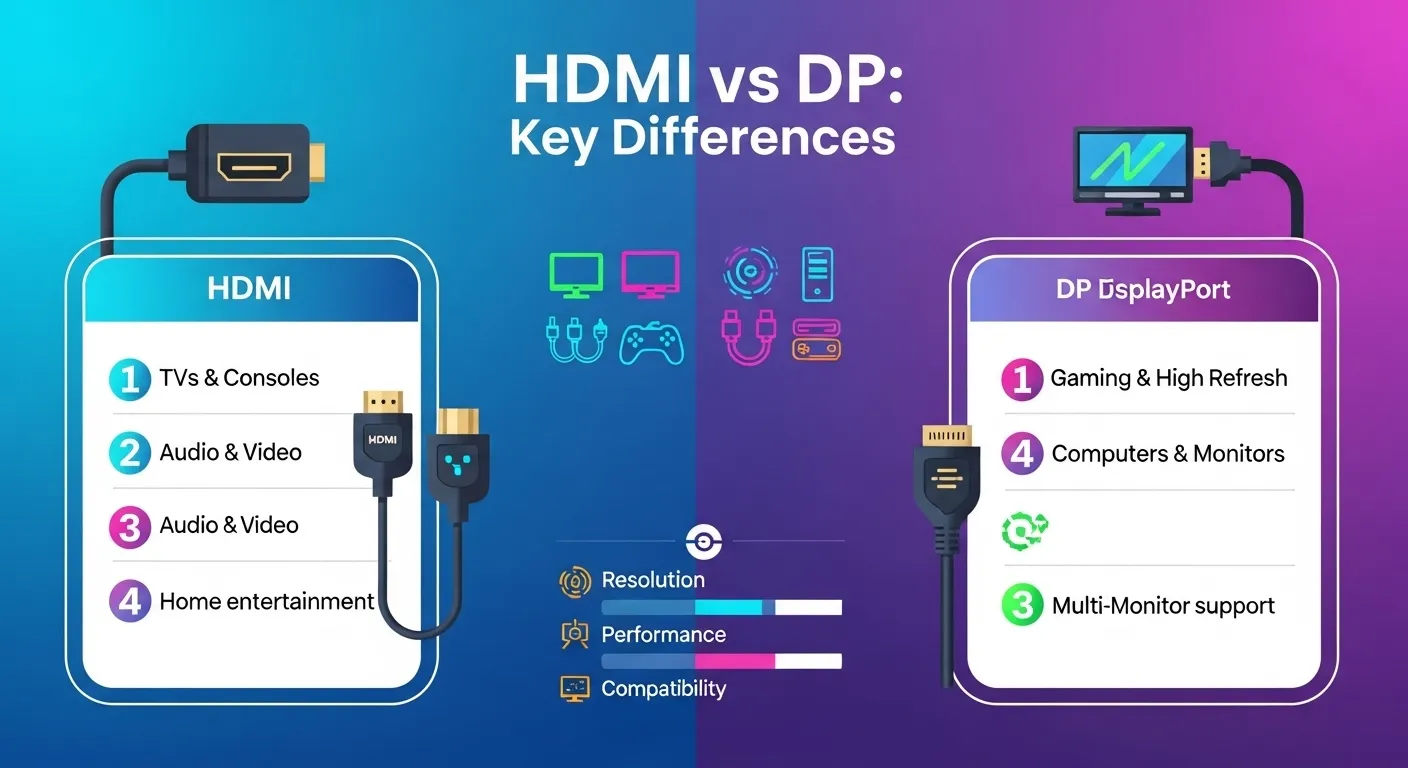
HDMI is best for TVs, consoles, and everyday multimedia devices, while DisplayPort (DP) is usually better for high refresh-rate gaming monitors and professional computer setups.
For example, a PlayStation connected to a 4K TV commonly uses HDMI, while a 240Hz gaming monitor connected to an RTX graphics card often performs better with DisplayPort.
Definition of HDMI vs DP Port
- HDMI (High-Definition Multimedia Interface): A digital connection standard mainly used for TVs, gaming consoles, streaming devices, laptops, and home entertainment systems.
- DP Port (DisplayPort): A digital display interface mainly designed for computers, gaming monitors, professional graphics workstations, and multi-monitor setups.
Example
HDMI is common on smart TVs, while DisplayPort is more common on gaming PCs and high-end monitors.
Pronunciation of Both Terms
| Term | US Pronunciation | UK Pronunciation |
|---|---|---|
| HDMI | “aitch-dee-em-eye” | “aitch-dee-em-eye” |
| DisplayPort (DP) | “dis-play-port” | “dis-play-port” |
Now that the basic meaning is clear, let’s understand the deeper difference between HDMI vs DP Port and why each exists in modern technology ecosystems.
HDMI vs DP Port Comparison Table
| Feature | HDMI | DisplayPort (DP) |
|---|---|---|
| Primary Use | TVs, consoles, streaming | PCs, gaming monitors |
| Gaming Performance | Good for casual gaming | Better for high refresh rates |
| Maximum Refresh Rate | Limited on older versions | Usually higher support |
| Audio Support | Excellent audio integration | Also supports audio |
| Multi-Monitor Support | Limited | Strong daisy-chaining support |
| Cable Locking | Usually no lock | Some DP cables lock securely |
| Common Devices | TVs, PlayStation, Xbox | Gaming PCs, workstations |
| Professional Usage | Multimedia-focused | Creator and gaming-focused |
| Adaptive Sync | Supported on newer HDMI | Commonly optimized |
| Market Popularity | More universal | More performance-oriented |
Deep Explanation of Key Points
| Comparison Point | HDMI | DisplayPort | Real-World Insight |
|---|---|---|---|
| Gaming | Good for consoles | Excellent for esports gaming | Competitive gamers often choose DP |
| Streaming | Ideal for TVs and media boxes | Less common for TVs | HDMI dominates home entertainment |
| Office Use | Works perfectly for normal office monitors | Better for multi-monitor professionals | DP is popular in offices |
| Cable Availability | Easier to find everywhere | Less common but growing | HDMI cables are more universal |
| 4K Usage | Great with HDMI 2.1 | Excellent with DP 1.4/2.1 | Both handle 4K well |
| Compatibility | Extremely wide support | Mainly computer ecosystem | HDMI wins for universal compatibility |
| Future Scaling | Improving steadily | Often faster in bandwidth growth | DP targets advanced displays |
| Professional Editing | Good enough for most editors | Preferred for advanced workflows | Video editors often use DP |
KEY DIFFERENCES EXPLAINED BETWEEN HDMI vs DP Port
1. Purpose and Design Philosophy
HDMI was originally designed for home entertainment systems like TVs and Blu-ray players. DisplayPort was built more for computer displays and professional graphics performance.
In real scenarios, this is why TVs almost always include HDMI first.
2. Gaming Performance
DisplayPort usually supports higher refresh rates at high resolutions. This matters for esports gamers using 240Hz or 360Hz monitors.
Most beginners do not notice the difference immediately, but competitive gamers often prefer DP.
3. Multi-Monitor Capability
DisplayPort supports daisy chaining on compatible monitors. This means one DP connection can connect multiple displays.
HDMI normally requires separate cables for each monitor.
4. Audio and Entertainment Integration
HDMI integrates extremely well with sound systems, smart TVs, and streaming devices like Apple TV or Google Chromecast.
That makes HDMI more convenient for living room setups.
5. Locking Mechanism
Some DisplayPort cables include a locking clip that prevents accidental disconnection.
This is useful in professional workstations and business environments.
6. Universal Compatibility
HDMI appears on laptops, TVs, projectors, gaming consoles, and streaming sticks almost everywhere.
DisplayPort is more specialized toward PC users.
7. Bandwidth and Data Handling
Modern DP versions often deliver higher bandwidth earlier than HDMI generations.
This helps advanced gaming monitors achieve better refresh-rate performance.
What Is HDMI and How Does It Work?
HDMI transfers digital audio and video through a single cable. It simplifies home entertainment by reducing cable clutter.
When you connect an Xbox to a TV using HDMI, both picture and sound travel through one connection.
Modern HDMI versions also support:
- HDR content
- 4K and 8K resolution
- Variable Refresh Rate (VRR)
- Enhanced Audio Return Channel (eARC)
Companies like Samsung, LG, and Sony heavily rely on HDMI standards in smart TVs.
What Is DisplayPort and Why Was It Created?
DisplayPort was developed mainly for computer systems needing advanced visual performance.
Unlike HDMI, DP focuses more on:
- High refresh rates
- Multi-monitor productivity
- Professional graphics workflows
- Gaming optimization
In practical use, graphic designers, video editors, and competitive gamers often choose DP because it handles demanding display tasks efficiently.
Is DisplayPort Better Than HDMI for Gaming?
For most PC gamers, yes.
DisplayPort is usually better for:
- 144Hz gaming
- 240Hz esports monitors
- Ultra-wide displays
- G-Sync and FreeSync optimization
However, HDMI 2.1 has improved massively and now supports advanced gaming features too.
For example:
- Sony PlayStation 5 mainly uses HDMI 2.1
- Modern gaming GPUs from NVIDIA and AMD support both HDMI and DP
So the better option depends on your hardware ecosystem.
HDMI vs DP Port for 4K and 8K Displays
Both technologies now support high resolutions, but performance depends on the version.
| Version | Maximum Capability |
|---|---|
| HDMI 2.1 | Excellent for 4K 120Hz and 8K |
| DP 1.4 | Strong 4K gaming support |
| DP 2.1 | Extremely high bandwidth performance |
In real-world usage:
- TVs generally favor HDMI
- Gaming monitors often favor DisplayPort
This difference exists because manufacturers optimize products for different user behavior patterns.
Why Do Many Users Still Prefer HDMI?
Even though DP offers advanced performance advantages, HDMI remains more popular because it is simple and universal.
Reasons include:
- Works with nearly every TV
- Easier cable availability
- Better familiarity among casual users
- Strong entertainment ecosystem support
Platforms like YouTube, Netflix, and home streaming systems commonly rely on HDMI-connected devices.
HDMI vs DP Port for Office and Professional Work
For office users, either option works fine. But professional environments often benefit from DisplayPort.
DP Advantages for Professionals
- Cleaner multi-monitor setups
- Better workstation scalability
- Reliable high-resolution support
HDMI Advantages for Offices
- Easy compatibility
- Cheaper setup costs
- Simpler conference room integration
Large organizations using docking systems from Dell or HP often use DisplayPort for productivity setups.
Common Mistakes with HDMI vs DP Port
1. Assuming HDMI Is Always Worse
Modern HDMI 2.1 is extremely powerful. Many people judge HDMI using outdated versions.
2. Buying Expensive Cables Unnecessarily
Most users do not need ultra-premium cables for basic setups.
3. Ignoring Monitor Specifications
Some monitors support higher refresh rates only through DisplayPort.
Always check device specifications first.
4. Confusing Port Shape
Many beginners mistake Mini DisplayPort for HDMI.
5. Using Adapters Incorrectly
Cheap adapters sometimes limit refresh rate performance.
Real Life Examples with HDMI vs DP Port
Personal Use
A student connects a laptop to a TV using HDMI for watching online lectures and movies.
Gaming Setup
An esports gamer uses DisplayPort for a 240Hz monitor connected to an RTX GPU.
Business Environment
A company office uses DP daisy chaining for dual-monitor productivity desks.
Content Creation
A video editor working with Adobe Premiere uses DisplayPort for color-accurate 4K monitors.
Streaming Room
A smart TV streaming setup with Google TV uses HDMI for simplified audio-video output.
WHEN TO USE EACH
| Situation | Best Choice |
|---|---|
| Smart TV connection | HDMI |
| PlayStation or Xbox gaming | HDMI |
| Competitive PC gaming | DisplayPort |
| Multi-monitor workstation | DisplayPort |
| Basic office monitor | Either |
| Home theater system | HDMI |
| High refresh-rate esports monitor | DisplayPort |
WHY PEOPLE GET CONFUSED IN HDMI vs DP Port
There are several reasons.
Similar Appearance
Both ports look somewhat similar to beginners.
Marketing Confusion
Brands often advertise “4K support” without explaining refresh-rate limitations.
Rapid Technology Changes
HDMI 2.1 changed many assumptions about HDMI performance.
Different Industry Focus
TV companies push HDMI heavily, while gaming monitor brands emphasize DP.
EXPERT INSIGHT
In professional display environments, the “better” port depends more on workflow than marketing claims.
In real scenarios:
- Casual users rarely notice meaningful differences between HDMI 2.1 and modern DP
- Competitive gamers benefit more from DisplayPort
- TV ecosystems still favor HDMI heavily
- Professional creators often prioritize DP for monitor flexibility
Most beginners focus only on resolution, but experienced users also check refresh rate, color depth, adaptive sync support, and monitor limitations before choosing a display connection.
That practical understanding matters far more than brand hype.
FAQs About HDMI vs DP Port
Is DisplayPort better than HDMI?
For high-refresh-rate PC gaming and multi-monitor setups, yes. For TVs and entertainment systems, HDMI is often more convenient.
Can HDMI support 144Hz?
Yes, HDMI 2.1 and some HDMI 2.0 setups support 144Hz depending on resolution.
Does DisplayPort carry audio?
Yes, DisplayPort supports both video and audio transmission.
Which is better for PS5, HDMI or DP?
HDMI is better because the PS5 is designed primarily around HDMI 2.1.
Why do gaming monitors use DisplayPort?
Because DP often handles higher refresh rates and adaptive sync technologies more efficiently.
Can I use adapters between HDMI and DP?
Yes, but some adapters may reduce performance capabilities.
Is DisplayPort older than HDMI?
No. HDMI launched earlier for consumer entertainment, while DP later focused more on computer displays.
Which cable is better for 4K editing?
Both work well, but many professionals prefer DisplayPort for advanced monitor workflows.
Does HDMI support G-Sync and FreeSync?
Modern HDMI versions support adaptive sync technologies on compatible hardware.
Which is more common in 2026?
HDMI remains more universal overall, while DisplayPort dominates many advanced PC setups.
Conclusion
The debate around HDMI vs DP Port is not really about one being universally better than the other. Instead, it depends on your device, workflow, and performance needs.
If you mainly use TVs, consoles, streaming devices, or home entertainment systems, HDMI is usually the smarter and simpler choice. It offers broad compatibility, easy setup, and strong multimedia integration.
On the other hand, if you are a competitive gamer, professional creator, or multi-monitor power user, DisplayPort often provides better refresh-rate handling, advanced monitor support, and stronger workstation flexibility.

Sarfraz Ahmad is language researcher and content writer who specializes in explaining the difference between commonly confused English words. Through WordClearify, learners understand subtle word distinctions in a simple, structured, and practical way. My writing focuses on clarity, real-life examples, and easy comparisons for students, bloggers, and professionals worldwide.